
Graph Over Chain: Scaling AI Agents Beyond LangChain Limits
When to use chains, when to embrace graphs
Getting Started
If you've been building with LLMs, you've probably hit a wall somewhere. Single prompts work fine for demos, but real applications need multi-step reasoning, tool use, and state. That's where orchestration frameworks come in.
This post is the first in a series on agentic AI design patterns. We'll keep it practical—less theory, more code you can actually run.
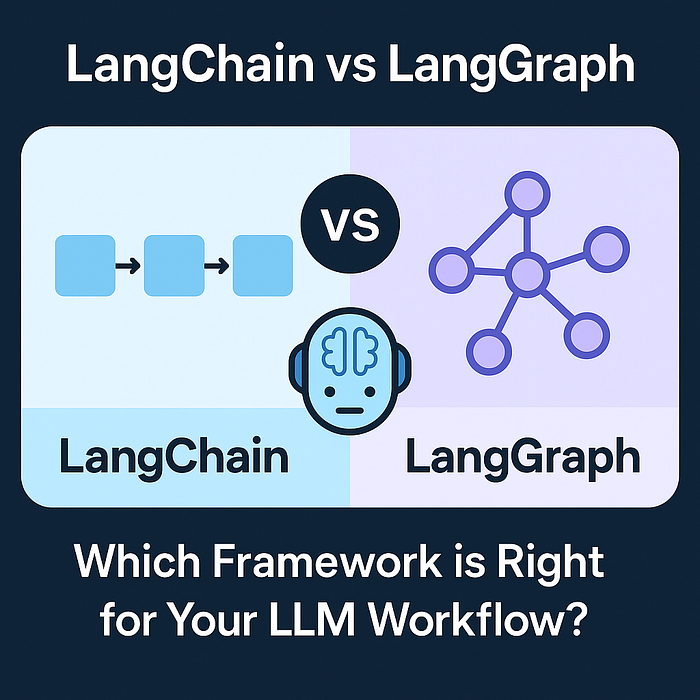
LangChain vs LangGraph
Once you move beyond single prompts—multi-step reasoning, tool use, agents that iterate—you need to think about orchestration. State, control flow, retries, observability. LangChain and LangGraph both address this, but they take different approaches and make different trade-offs.
What Is LangChain?
LangChain showed up in 2022 (Harrison Chase) and quickly became the default toolkit for LLM apps. The idea was simple: composable building blocks—prompts, tools, runnables—that you could wire together without sweating the low-level details. It worked. The ecosystem is huge now.
The trade-off: you get speed and a ton of integrations, but control over orchestration is mostly indirect. That's fine for a lot of use cases. Sometimes it isn't.
Fundamental Concepts of LangChain
Chains (Modern View)
The old LLMChain and SequentialChain patterns are mostly legacy now. These days you use LCEL and Runnable composition.
from langchain_groq import ChatGroq
from langchain.prompts import ChatPromptTemplate

llm = ChatGroq(model="llama-3.3-70b-versatile")
prompt = ChatPromptTemplate.from_template(
    "Describe the key features of {product} in 3 concise bullet points."
)

chain = prompt | llm
result = chain.invoke({"product": "iPhone"})
print(result.content)
Multi‑Step Pipelines
Same idea—string runnables together with RunnablePassthrough instead of reaching for SequentialChain.
from langchain_core.runnables import RunnablePassthrough

pipeline = (
    RunnablePassthrough.assign(entities=extract_entities)
    | RunnablePassthrough.assign(sentiment=analyze_sentiment)
    | generate_response
)
Agents
For tool-using agents, stick with create_react_agent or the graph-based variants. The older function-agent helpers are on the way out.
from langchain.agents import create_react_agent, AgentExecutor
from langchain_groq import ChatGroq
from langchain_core.tools import tool

@tool
def search_product(name: str) -> str:
    return f"{name}: $99"

llm = ChatGroq(model="llama-3.3-70b-versatile")
agent = create_react_agent(llm, tools=[search_product])
executor = AgentExecutor(agent=agent, tools=[search_product])

print(executor.invoke({"input": "What does a keyboard cost?"})["output"])
Memory
LangChain has memory support, but the direction of travel is toward explicit state and external stores. If you need conversation history, RunnableWithMessageHistory is the modern approach.
from dotenv import load_dotenv
load_dotenv()

from langchain_groq import ChatGroq
from langchain_core.prompts import ChatPromptTemplate, MessagesPlaceholder
from langchain_core.runnables.history import RunnableWithMessageHistory
from langchain_core.chat_history import InMemoryChatMessageHistory

# Store for conversation histories
store = {}

def get_session_history(session_id: str):
    if session_id not in store:
        store[session_id] = InMemoryChatMessageHistory()
    return store[session_id]

# Create chain with memory
llm = ChatGroq(model="llama-3.3-70b-versatile")
prompt = ChatPromptTemplate.from_messages([
    ("system", "You are a helpful assistant."),
    MessagesPlaceholder(variable_name="history"),
    ("human", "{input}")
])

chain = prompt | llm
chain_with_history = RunnableWithMessageHistory(
    chain,
    get_session_history,
    input_messages_key="input",
    history_messages_key="history"
)

# Use with session ID
response = chain_with_history.invoke(
    {"input": "My name is Alice"},
    config={"configurable": {"session_id": "user_123"}}
)
You can also manage history manually—append messages, pass them to the LLM, repeat. It's more work but gives you full control.
# Manually maintain conversation history
conversation_history = [
    {"role": "system", "content": "You are a helpful assistant."}
]

def chat(user_message: str):
    conversation_history.append({"role": "user", "content": user_message})
    response = llm.invoke(conversation_history)
    conversation_history.append({"role": "assistant", "content": response.content})
    return response.content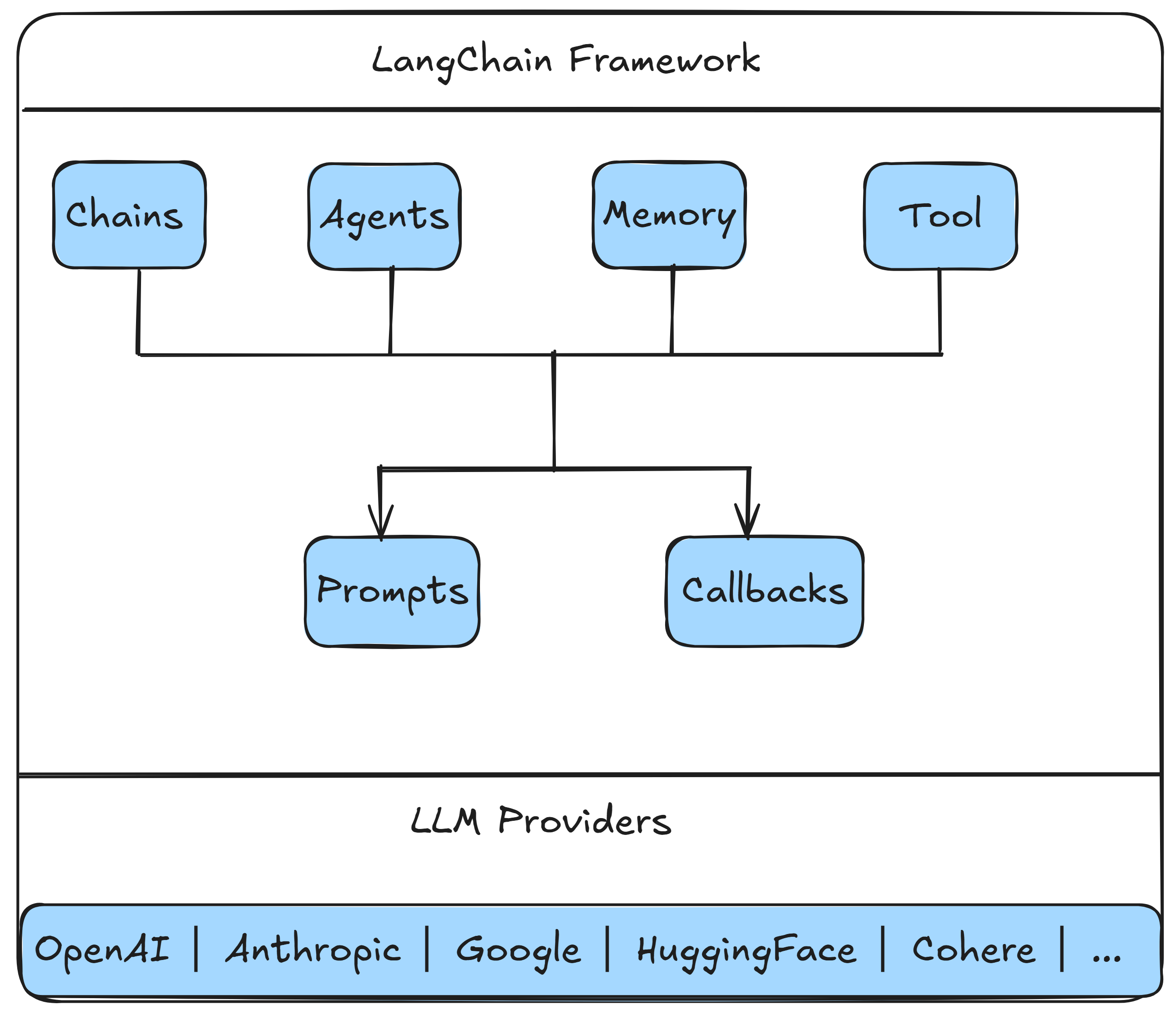
LangChain — Strengths and Limitations
What It Does Well
- Fast prototyping
- Large integration ecosystem
- Strong docs and community
Where It Falls Short
- Control exists but is indirect
- Intermediate steps are visible via callbacks/LangSmith, but not first‑class state
- Complex custom orchestration becomes awkward
What Is LangGraph?
LangGraph comes from the same team as LangChain but tackles a different problem. It's built for explicit, stateful, graph-based orchestration. Think workflows where you care about control flow, branching, and inspection—the kind of stuff that gets messy when you try to express it purely with chains.
Fundamental Concepts of LangGraph
State
Everything flows through a typed state object. No hidden context—you define it, you own it.
from typing import TypedDict, Annotated
from langgraph.graph.message import add_messages

class AgentState(TypedDict):
    messages: Annotated[list, add_messages]
    iteration: int
Nodes
Nodes are functions that take state in and return updates. Straightforward.
def agent_node(state: AgentState) -> dict:
    response = llm.invoke(state["messages"])
    return {"messages": [response], "iteration": state["iteration"] + 1}
Edges and Control Flow
from langgraph.graph import StateGraph, END

workflow = StateGraph(AgentState)
workflow.add_node("agent", agent_node)
workflow.set_entry_point("agent")
workflow.add_edge("agent", END)
app = workflow.compile()
Streaming and Inspection
for event in app.stream({"messages": [], "iteration": 0}):
    print(event)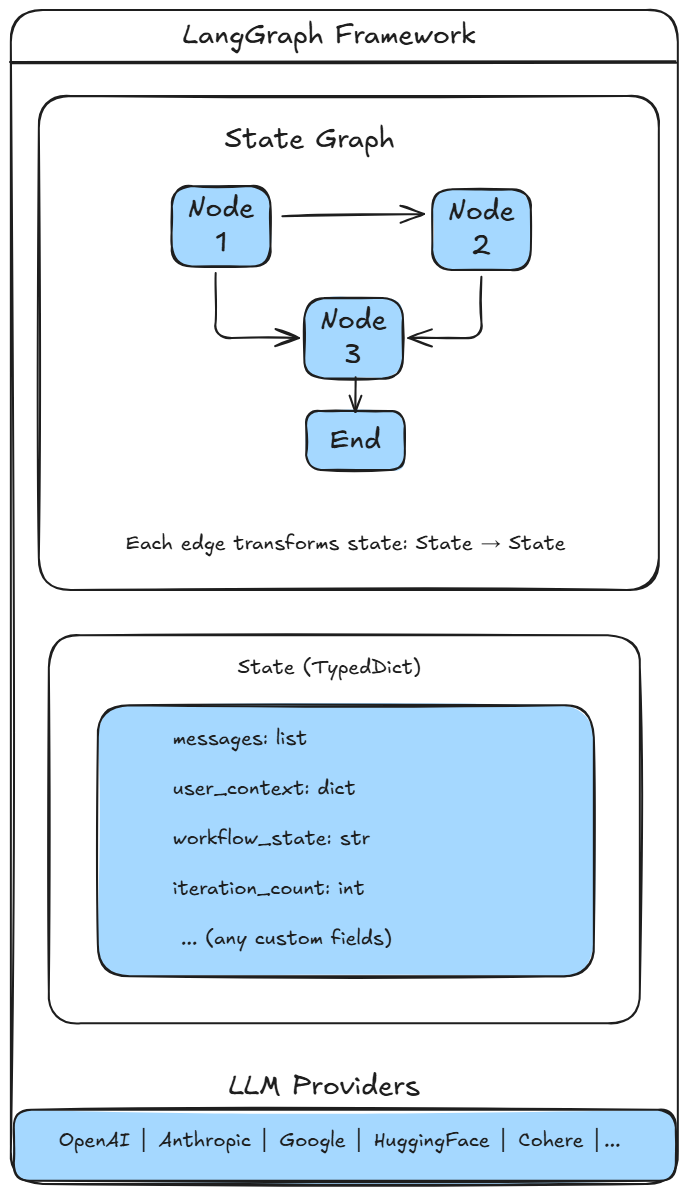
LangGraph — Strengths and Limitations
What It Does Well
- Explicit state
- Deterministic control flow
- Easier debugging for complex systems
Where It Falls Short
- More code for simple tasks
- Steeper learning curve
- Smaller ecosystem than LangChain
Architecture Comparison
| Aspect | LangChain | LangGraph |
|---|---|---|
| Abstraction | High | Medium–Low |
| Control | Indirect | Explicit |
| State | Implicit or external | Explicit |
| Debugging | Via callbacks/LangSmith | Via state inspection |
| Best For | Fast builds | Complex workflows |
Code Samples
All the examples in this post are available in our GitHub repository. The repo splits examples into langchain_examples/ and langgraph_examples/—five LangChain scripts, four LangGraph ones.
Environment Setup
Installation
pip install -r requirements.txtThat pulls in the usual suspects: langchain, langgraph, langchain-groq for the Groq API, langchain-core, and python-dotenv.
API Key Setup
Drop a .env file in the project root:
GROQ_API_KEY=your-groq-api-key-hereOr set it in your shell:
# Windows PowerShell
$env:GROQ_API_KEY = "your-key"

# Linux/Mac
export GROQ_API_KEY="your-key"
Running the Examples
From the repo root:
# LangChain examples
cd langchain_examples
python 01_basic_chain.py
python 02_multi_step_pipeline.py
python 03_agent_with_tools.py
python 04_composition.py
python 05_memory.py

# LangGraph examples
cd langgraph_examples
python 01_state_management.py
python 02_workflow.py
python 03_streaming.py
python 04_composition.py
Wrapping Up
LangChain is great when you need to move fast and lean on integrations. LangGraph is better when the workflow itself is the product—when you need explicit control, inspectable state, and deterministic flow. They're not competing; they solve different problems.
Our rule of thumb: start with LangChain. If you find yourself fighting the framework to get the control you need, that's when to reach for LangGraph.
What's Next
In the next post we'll dive into LangChain v1 and LangGraph v1 for engineering-grade agentic systems. That one's still in progress.
Related Reading
If you are evaluating frameworks for production AI systems, continue with LangChain v1 vs LangGraph v1: Production Patterns for Agentic AI, explore our AI & Automation services, or review more shipped work on the portfolio page.